


Sky Tonight - Star Gazer Guide
4.72.33K Reviews
App Specs
- Version
- 2.5.3
- Updated On
- License
- Free
- Downloads
- 5,000,000+
- Developer
- Vito Technology
- Categories
- Books & Reference
- Platform
- Android, iOS
Screenshots
 Analysis by AppCompare
When I want to make sense of the sky without turning a relaxed evening into a research project, I reach for Sky Tonight - Star Gazer Guide. It makes identifying visible objects feel approachable, while still giving curious users more to explore. The key decision is whether you want a guided, interactive sky map or simply a quick answer from a basic astronomy reference.
That distinction matters because a phone can help you learn what is overhead, but it cannot make clouds disappear or replace the pleasure of looking up with your own eyes. I find this app most useful as a companion: first I notice a bright point, then I use the map to work out what it might be and learn a little more. If that is the kind of stargazing you enjoy, it is an appealing place to start.
Discover the Universe from Your Backyard
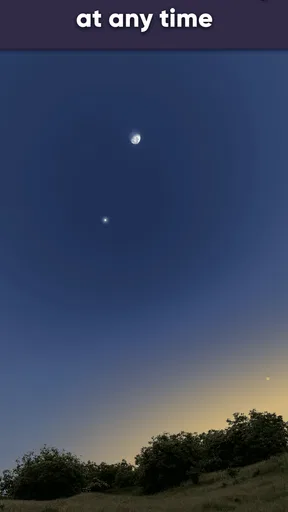
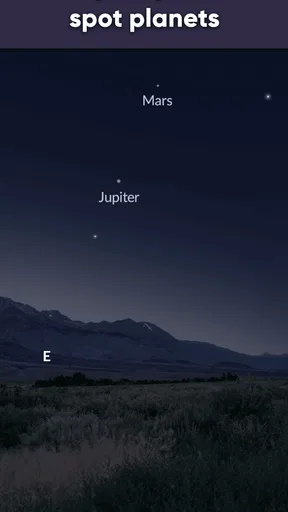
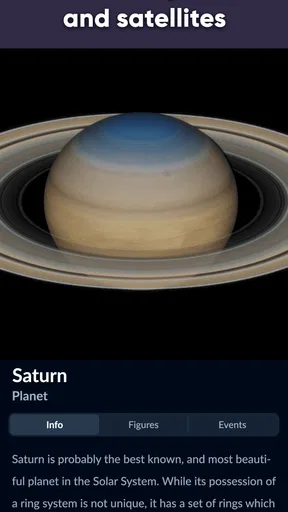
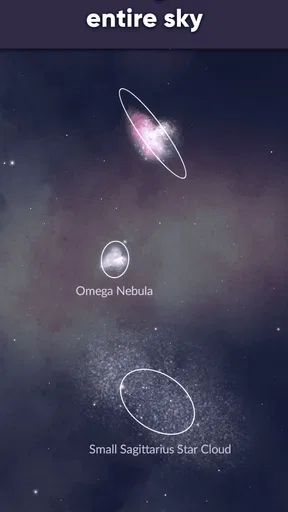
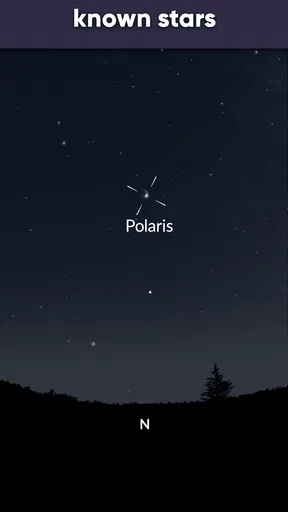
From the moment I opened Sky Tonight, I felt like an amateur astronomer. The app uses your phone’s GPS to pinpoint your location and show you a real-time map of the sky above. It's surprisingly accurate and super engaging. Just point your device at the sky, and voila! You’ll see labels pop up for stars, planets, and even satellites. It’s like magic!
That point-and-identify approach is where it has an advantage over a printed star chart or a general encyclopedia entry: the information is connected to the patch of sky in front of you. A book can be calmer and easier on the eyes, and a simple search can be faster if you already know an object's name. But when I am unsure what I am looking at, the live map gives me a practical starting point rather than making me guess which chart applies.
A User-Friendly Experience
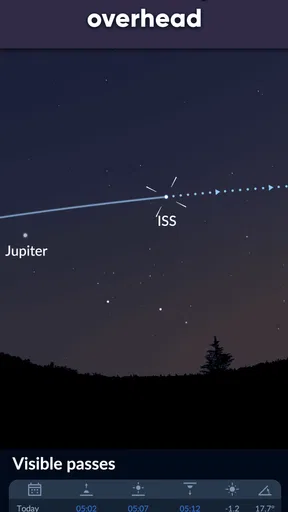
Now, I’m no tech genius, but the interface is clean and straightforward. Navigating through the app is a breeze, even for beginners like me. You can easily switch between different views, like Night Mode, which dims the screen to help preserve your night vision. Plus, there's a nifty search function if you're looking for something specific like Mars or the International Space Station.
For a first outing, I would open the map indoors, get a feel for how it responds, and search for one object I already recognize. That small bit of preparation makes it easier to use outside, where darkness and cold hands can make fiddly exploration less enjoyable. When you do head out, dim the display before looking around; a bright phone screen can undo the advantage of waiting for your eyes to adjust, so Night Mode is more than a cosmetic option.
The phone’s orientation and location are central to this kind of map, so I treat a label as a guide rather than proof that I have spotted the object. If the view seems out of place, check that the device is held steadily and that the displayed direction makes sense. This is a useful habit with any sky-identification app, especially when you are learning the difference between what the screen shows and what is actually visible through haze or city glow.
Worth Reading Before You Choose

Flipboard Shows What News Apps Must Do Beyond the Feed

Switching to Android Auto Means Rethinking Your Driving Routine

Google Calendar Makes a Crowded Week Easier to Manage

Ludo King Makes the Most of the Minutes Between Plans

Baby Panda World Brings Quick Play to Modern Phones, but Its Game Library Feels Busy

ESPN’s Live Game View Makes Following Close Games Easier
So Many Features, So Little Time
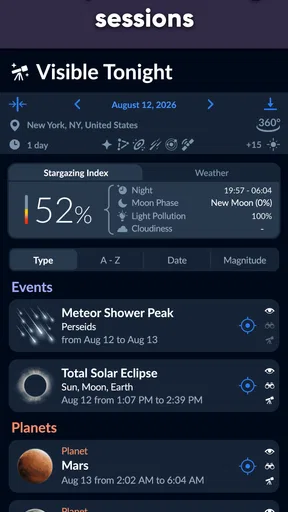
Let’s talk features because Sky Tonight is loaded with them. Besides identifying celestial bodies, it offers detailed information about each one. Curious about a star’s size or its distance from Earth? The app’s got you covered. There's even a calendar of astronomical events, so you’ll never miss a meteor shower or a lunar eclipse again.
I would use the event calendar as a planning aid, not as a promise of a perfect show. Before making a special trip, check the local forecast and think about where you can get an open view of the sky. The app can help you know what to look for, but weather, nearby buildings, and light pollution still shape what you will actually see. For casual plans, even a short look from a garden or balcony can be rewarding if expectations are realistic.
The search function also changes how I use the map. Instead of wandering through labels, I can look up a target first and then use the sky view to orient myself around it. That is particularly handy when someone asks about a planet during an evening walk: I can answer the question, then follow nearby points of interest if we have time. It turns a quick identification into a small, optional learning session rather than demanding a long lesson.
One of my favorite features is the augmented reality (AR) mode. It superimposes digital images over the real sky to give you a clearer understanding of what you’re looking at. It’s both educational and a lot of fun to play with.
AR is most helpful when I use it briefly to connect a screen diagram with the real direction of an object, then put the phone down and look unaided. Keeping the display up for the whole session is less comfortable and can make the sky feel secondary to the screen. It is also a sensible trade-off to save AR for moments when the extra visual overlay genuinely helps, rather than leaving it running throughout an entire outing.
Perfect for Stargazing Novices and Pros Alike
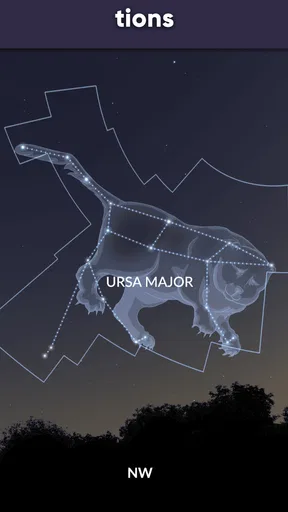
Whether you’re a seasoned stargazer or just getting started, Sky Tonight caters to all levels. For the newbies, there’s a tutorial section that guides you through the basics of using the app and understanding the night sky. For the more experienced astronomers, the app offers advanced features like tracking satellites and identifying deep-sky objects.
For a beginner, the strongest use case is learning names and building confidence: identify a few bright objects, return to them on another night, and gradually recognize their positions without needing the phone. More experienced users may appreciate having a reference alongside their own observing routine, but someone who already relies on specialist observing tools may find a phone guide better for orientation than for every part of a session. I would not choose it as a substitute for dedicated observing equipment or a detailed observing plan.
Another cool aspect is the personalization options. You can customize your stargazing experience by setting alerts for upcoming celestial events or by saving your favorite stars and constellations for easy access later.
Saved favorites are useful when you want to make a simple repeatable routine. I might keep a few familiar targets handy, then compare what is visible on different evenings instead of starting from scratch each time. Alerts can help an event stay on your radar, but they work best as reminders to check conditions and make a plan, not as a reason to assume the sky will cooperate.
For a realistic everyday example, imagine finishing dinner and noticing a bright object above the rooftops. I can search for a likely target, use the map to check its position, and share the discovery with someone nearby. If clouds cover it, I can still use the app to browse the event calendar or read about another object; if the sky is clear, I can set the phone aside and enjoy the view. That flexibility is more useful to me than treating every session as a formal astronomy outing.
What’s the Catch?
Now, no app is perfect, and Sky Tonight is no exception. While the free version offers a lot, some of the more advanced features require a subscription. Depending on your level of interest, this might be a worthy investment or just an unnecessary expense.
The app is free to download, with optional in-app purchases priced from $0.99 to $12.99 per item. I would start with the free experience and only consider paying if I found myself returning to a particular locked feature often. That avoids spending on capabilities I might admire once and then forget. It is a more sensible fit for a curious beginner than for someone who expects every advanced tool to be included without cost.
It also helps to set expectations around the setting itself. A live sky map can orient you, but it cannot compensate for a blocked horizon, bright urban lighting, or poor visibility. If your main goal is a deep, uninterrupted observing session, a paper chart or a specialist setup may feel less distracting. If you want to recognize what is above you during an ordinary evening, the phone-based format is much more convenient.
Also, the AR mode might drain your battery faster than usual, so make sure you’re charged up before heading out for a night of stargazing.
Because the screen and camera-style overlay invite you to keep interacting, I would avoid making the phone the center of a long session. A charged device is helpful, but so is a simple plan: use the map to find a target, note its position, then turn the screen off while you observe. That reduces unnecessary screen time and keeps the experience closer to stargazing than to browsing an app outdoors.
Who Should Choose It—and Who Might Prefer Something Else
I think it suits people who are curious about astronomy but do not want to begin with a dense textbook or complicated equipment. Families can use it to turn a bright planet or constellation into a conversation, and solo users can explore at their own pace. Its Everyone content rating makes it broadly approachable, while its Books & Reference category reflects its role as a learning tool as much as a sky viewer.
The usual alternatives serve different moods. A basic astronomy reference is better when you want to read quietly without pointing a device around; a printed chart can be useful when you want to avoid a glowing screen; and more specialized observing tools may suit users who already know what they want to track. I would pick this app when I need help connecting a real patch of sky with names and information, not when I want the simplest possible reading experience.
There is also a small switching cost if you move from another sky guide: you will need to get used to its map, search, and saved-object workflow, and decide whether its paid options matter to you. I would not move just because another app looks more elaborate. Try the free version during a few ordinary evenings first; if its way of identifying objects clicks with you, the habit is likely to matter more than a long feature list.
Final Cosmic Thoughts
All in all, Sky Tonight - Star Gazer Guide is a stellar app (pun intended) for anyone interested in exploring the night sky. It’s educational, user-friendly, and packed with features that make stargazing accessible and fun. Whether you’re identifying constellations from your backyard or planning your next meteor shower watch party, this app is a must-have tool in your astronomical toolkit.
Its scale suggests that many people have found the idea useful: it has a 4.7 average from around 76,000 ratings, and more than 5 million installs. Vito Technology develops the app, which was released on August 18, 2021; version 2.4.0 supports devices running Android 7.0 or later. Those details are useful context, but the best test is still whether you enjoy using the map during a real evening outside.
Ready to embark on your celestial journey? Check out the download link and start exploring the universe tonight!
My recommendation is straightforward: try it if you often look up and wish you knew what you were seeing. Start with one search, one short session, and the free features; use Night Mode thoughtfully, and treat AR as an occasional aid rather than the whole experience. If you prefer screen-free observing or already have a specialized routine that works, you may not need to switch. For everyone else, it makes an approachable companion for turning a passing glance at the sky into a reason to stay outside a little longer.
Pros
- User-friendly interface for beginners
- Real-time sky map with accurate data
- Customizable notifications for celestial events
- Offline mode for stargazing in remote areas
- Extensive database of stars and constellations
Cons
- Requires GPS for precise location data
- Ads can be intrusive in free version
- Limited features without premium upgrade
- Battery drain is noticeable during extended use
- Occasional lag in high-demand times
FAQs for Sky Tonight - Star Gazer Guide
What is Sky Tonight - Star Gazer Guide, and how does it work?
Sky Tonight - Star Gazer Guide is a comprehensive app designed for astronomy enthusiasts and casual stargazers. It uses your device's GPS to identify celestial objects in real-time. Simply point your device at the sky, and the app will display the names and details of stars, planets, and constellations visible from your location.
Is Sky Tonight suitable for beginners?
Absolutely! Sky Tonight is designed with user-friendliness in mind. The app provides an intuitive interface and educational content that helps beginners learn about the night sky. Features include guided star tours and interactive tutorials, making it easy for users of all levels to navigate and enjoy stargazing.
Does Sky Tonight require an internet connection to function?
Sky Tonight primarily relies on GPS for real-time sky mapping, which doesn’t require an internet connection. However, some features like updates, additional educational content, or community forums might need internet access. To get the most out of the app, occasional connectivity is beneficial but not mandatory for basic stargazing.
What devices are compatible with Sky Tonight?
Sky Tonight is available for both Android and iOS devices. It supports a wide range of smartphones and tablets, but it's recommended to check the app’s compatibility with your device's operating system version. Regular updates ensure that the app remains compatible with the latest devices and software.
Are there any costs associated with using Sky Tonight?
Sky Tonight offers a free version with basic features sufficient for casual stargazing. For a more enhanced experience, there’s a premium version available for purchase. The premium version includes advanced features like in-depth celestial data, ad-free usage, and exclusive stargazing events, providing a richer experience for avid astronomy fans.


